Canvas nodes
Unique Filter
Keep the first row for each key or isolate subsequent repeats.
How it works
Select the columns that identify a record, or use all fields. Keep the first row for each key or return subsequent occurrences to inspect repeats.
Simple example
Choose CustomerID as the key and keep unique rows. If a customer appears several times, the node keeps the first row for that ID.
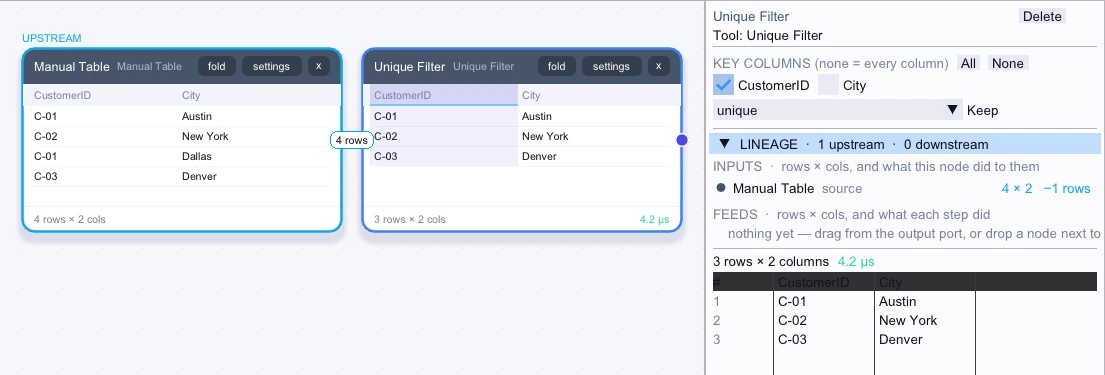
Input
4 rows| CustomerID | City |
|---|---|
| C-01 | Austin |
| C-02 | New York |
| C-01 | Dallas |
| C-03 | Denver |
Node output
3 rows| CustomerID | City |
|---|---|
| C-01 | Austin |
| C-02 | New York |
| C-03 | Denver |
Complex workflow
Sort events from earliest to latest, then choose Account and Event as the key and switch to duplicates. The output isolates subsequent occurrences of each account-event pair for review.
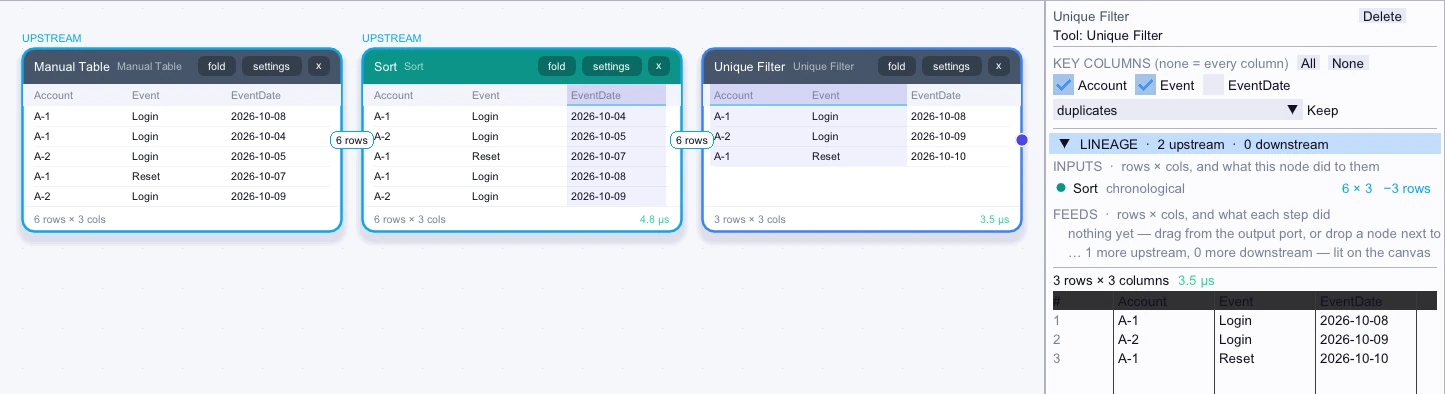
Input
First 5 of 6 rows| Account | Event | EventDate |
|---|---|---|
| A-1 | Login | 2026-10-04 |
| A-2 | Login | 2026-10-05 |
| A-1 | Reset | 2026-10-07 |
| A-1 | Login | 2026-10-08 |
| A-2 | Login | 2026-10-09 |
Node output
3 rows| Account | Event | EventDate |
|---|---|---|
| A-1 | Login | 2026-10-08 |
| A-2 | Login | 2026-10-09 |
| A-1 | Reset | 2026-10-10 |