← All features How it works Connect tables to stack their rows. The first input determines the output columns, and you can enable duplicate removal for the combined rows.
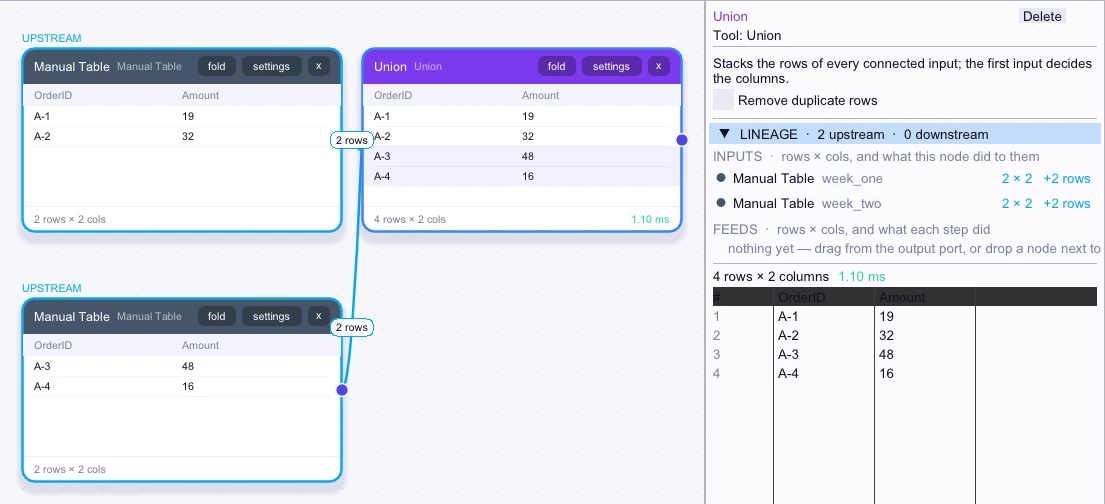
Click Union on Canvas to open its settings and output. The rows from both inputs appear in one table. 01 Simple example Connect two order tables with matching headers to Union. The output stacks the rows from both tables so they can be inspected together.
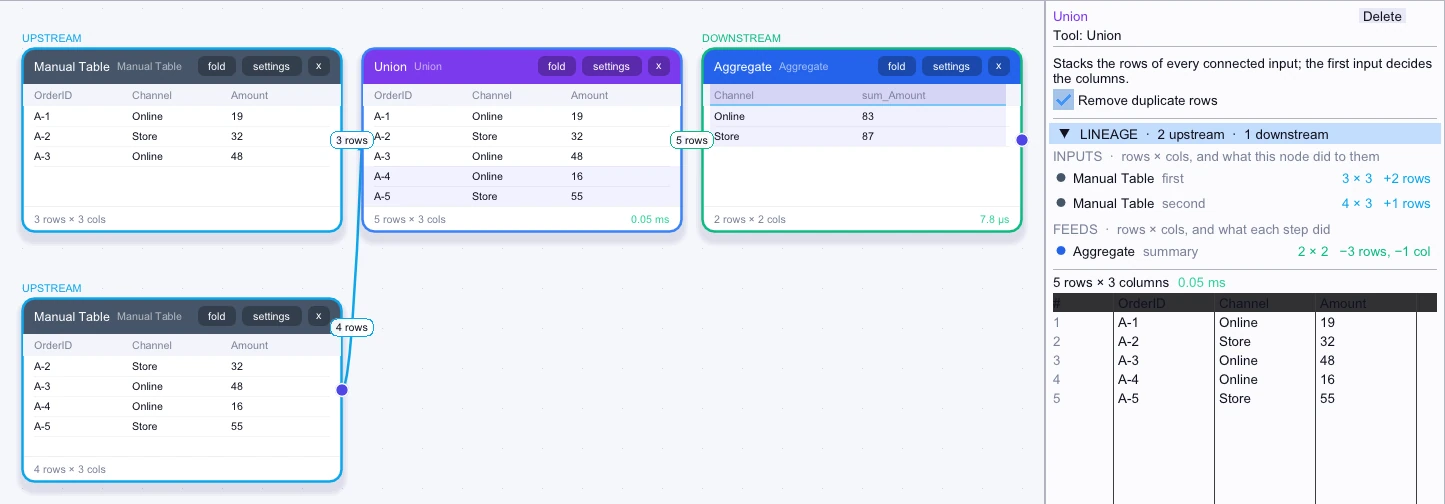
n0is Canvas · Sample data View full size ↗ 02 Complex workflow Combine overlapping order exports that use the same schema. Turn on Remove duplicate rows to discard exact repeats, then sum Amount by Channel across the combined table.
n0is Canvas · Sample data View full size ↗