Canvas nodes
Rank
Add a ranking column in ascending or descending order.
How it works
Select a column and a direction, then name the output rank field. Use the new rank column in later filters or reports.
Simple example
Rank Score in descending order and name the added column Position. Each row gets its place in the scoring order while the input row order stays intact.
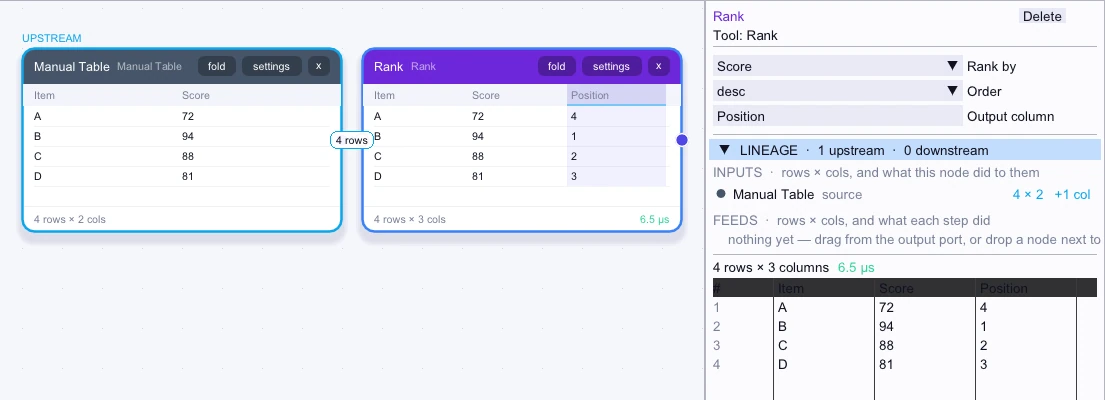
Input
4 rows| Item | Score |
|---|---|
| A | 72 |
| B | 94 |
| C | 88 |
| D | 81 |
Node output
4 rows| Item | Score | Position |
|---|---|---|
| A | 72 | 4 |
| B | 94 | 1 |
| C | 88 | 2 |
| D | 81 | 3 |
Complex workflow
Sum order amounts by Product, then rank the totals from largest to smallest. Keep the first few ranks and sort by Position to make an ordered shortlist for the sales review.
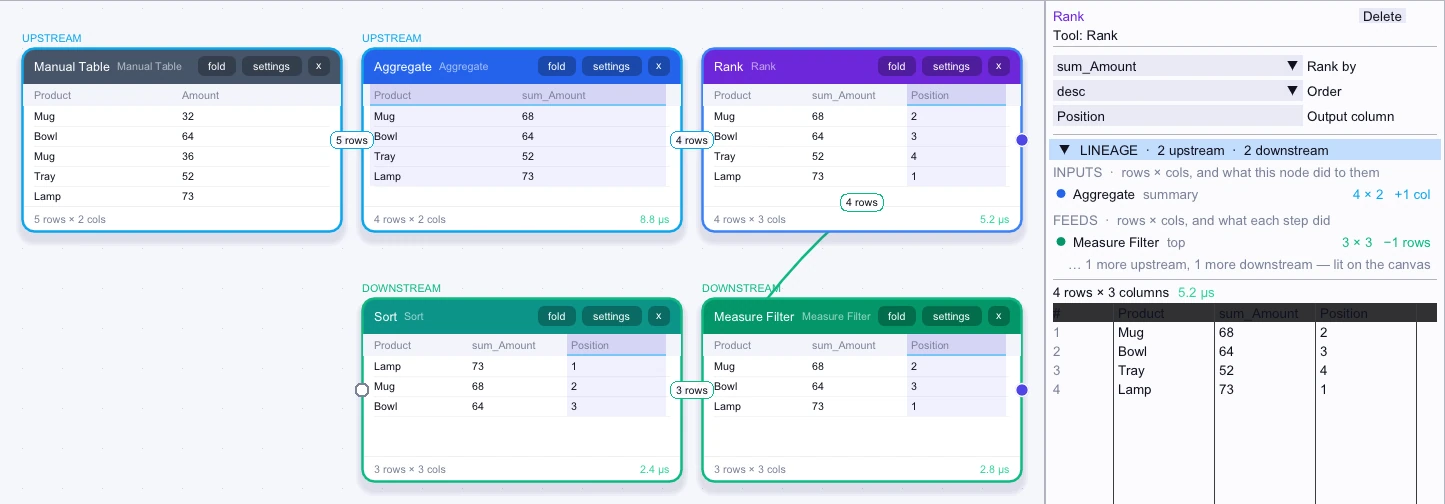
Input
4 rows| Product | sum_Amount |
|---|---|
| Mug | 68 |
| Bowl | 64 |
| Tray | 52 |
| Lamp | 73 |
Node output
4 rows| Product | sum_Amount | Position |
|---|---|---|
| Mug | 68 | 2 |
| Bowl | 64 | 3 |
| Tray | 52 | 4 |
| Lamp | 73 | 1 |
Workflow result
3 rows| Product | sum_Amount | Position |
|---|---|---|
| Lamp | 73 | 1 |
| Mug | 68 | 2 |
| Bowl | 64 | 3 |