Canvas nodes
Neon Output
Write workflow results to the local store or to an existing table on a verified development branch.
How it works
Connect the result and select the destination table and write mode. You can write to the local store or to an existing table on a verified development branch.
Simple example
In a workflow saved to the local store, connect SKU and stock counts to Neon Output. Choose append and Ship to write the rows to inventory_snapshot. Append generates a separate ID for each new row and preserves the SKU value.
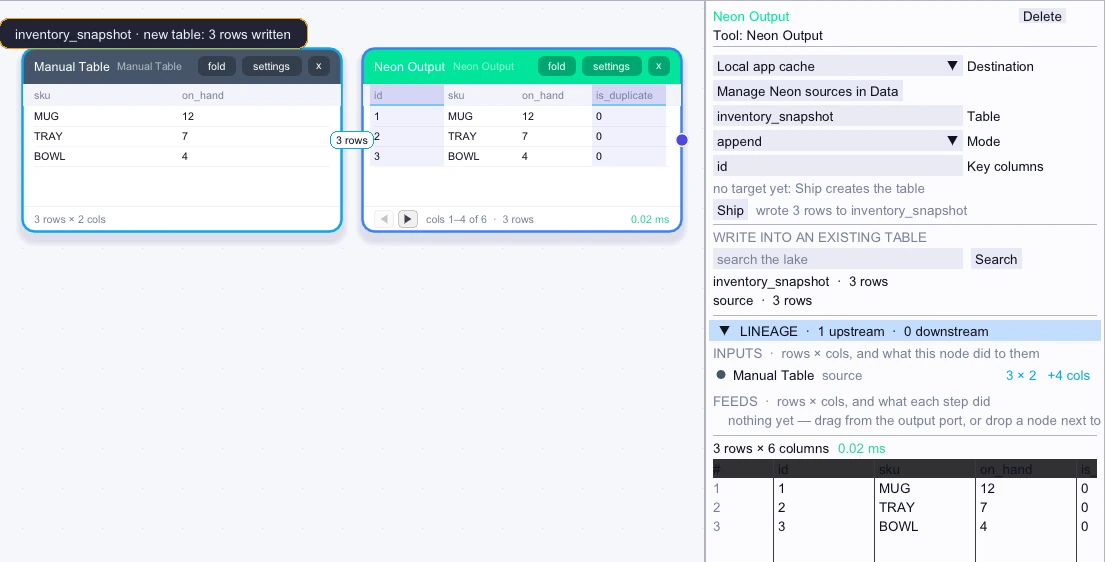
Input
3 rows| sku | on_hand |
|---|---|
| MUG | 12 |
| TRAY | 7 |
| BOWL | 4 |
Saved local table
3 rows| id | sku | on_hand | is_duplicate |
|---|---|---|---|
| 1 | MUG | 12 | 0 |
| 2 | TRAY | 7 | 0 |
| 3 | BOWL | 4 | 0 |
Complex workflow
Normalize the SKU values, then select the existing local inventory_snapshot table in Neon Output. Choose upsert with sku as the key to update matching records. Remote writes require an existing table on a verified development branch and explicit confirmation.
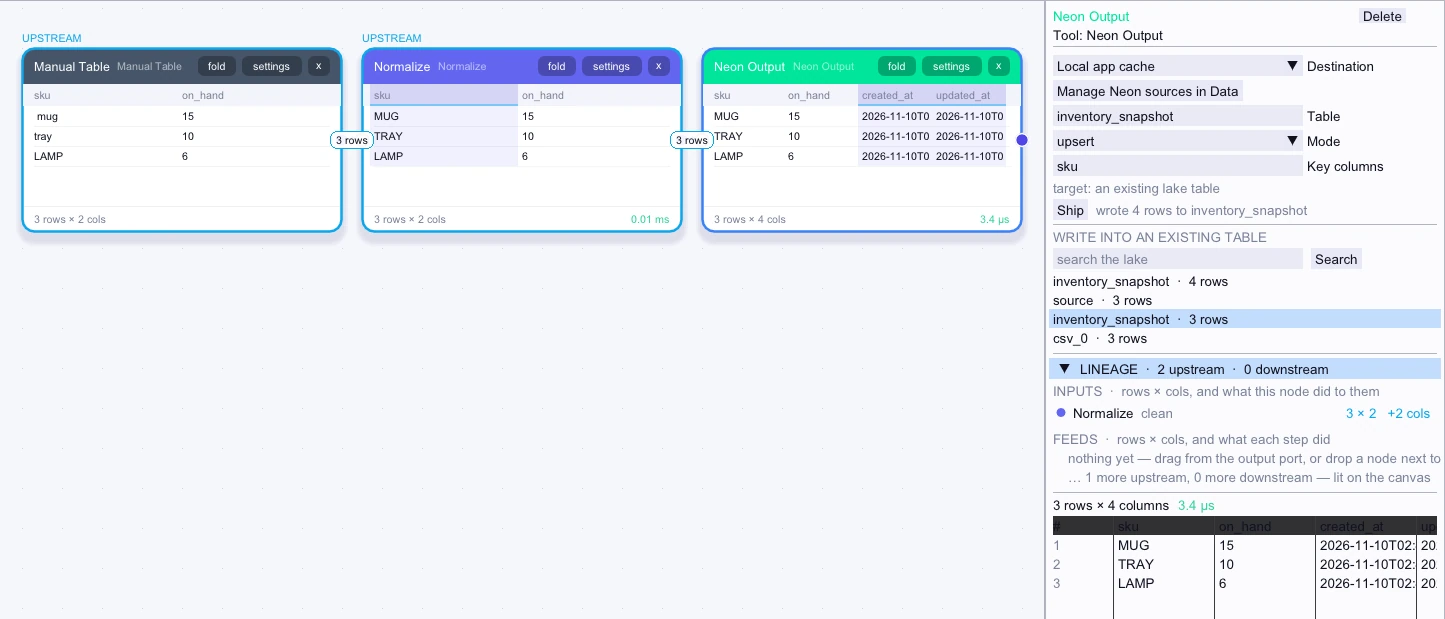
Input
3 rows| sku | on_hand |
|---|---|
| MUG | 15 |
| TRAY | 10 |
| LAMP | 6 |
Saved local table
4 rows| sku | on_hand |
|---|---|
| MUG | 15 |
| TRAY | 10 |
| BOWL | 4 |
| LAMP | 6 |