Canvas nodes
Measure Filter
Keep or remove rows by comparing a numeric column with a threshold.
How it works
Select a numeric field, a comparison, and a value. Keep or remove the rows that meet that comparison.
Simple example
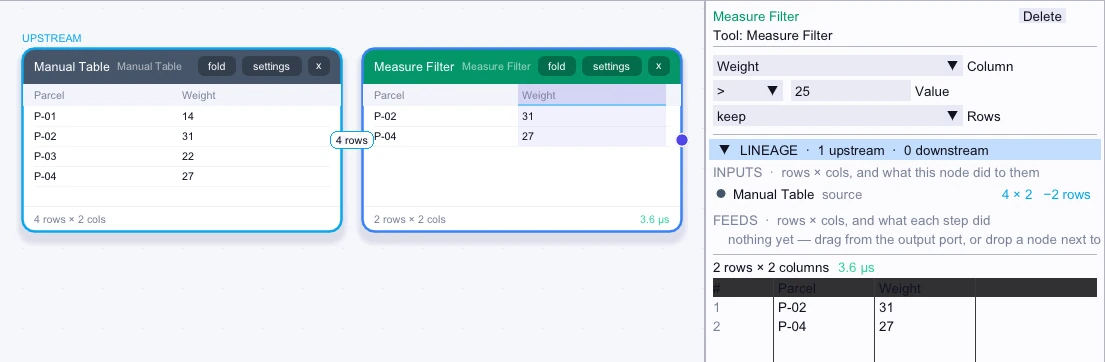
Connect a shipment table and set Measure Filter to keep rows where Weight exceeds the carrier limit. The output is a list of shipments to review.
Input
4 rows| Parcel | Weight |
|---|---|
| P-01 | 14 |
| P-02 | 31 |
| P-03 | 22 |
| P-04 | 27 |
Node output
2 rows| Parcel | Weight |
|---|---|
| P-02 | 31 |
| P-04 | 27 |
Complex workflow
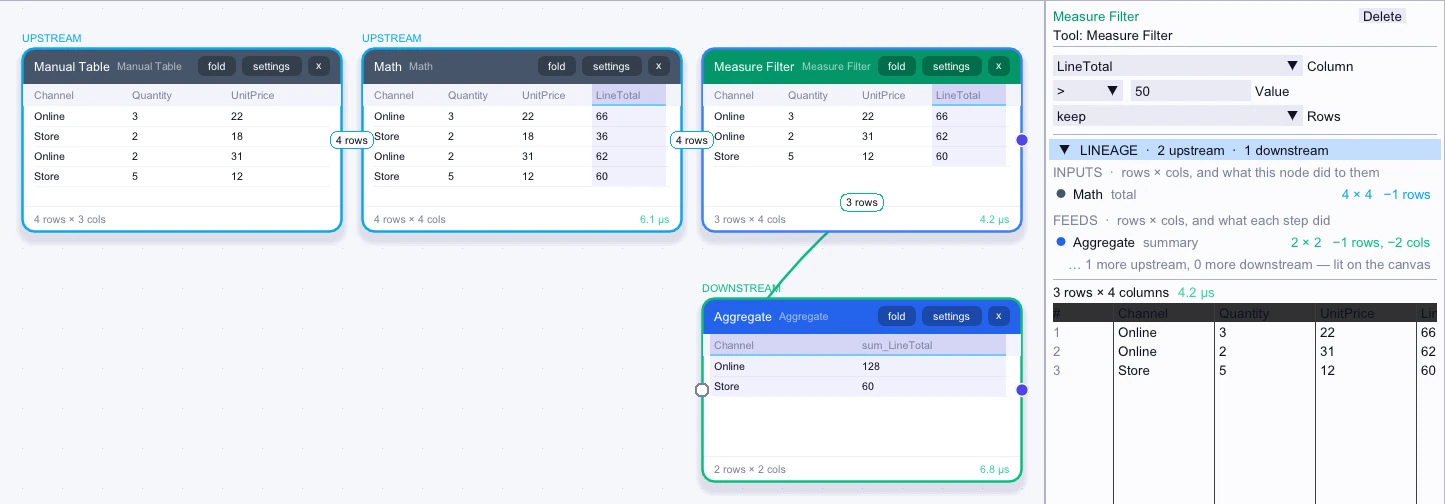
Compute the LineTotal for each order from Quantity and UnitPrice. Use Measure Filter to keep orders above your review threshold, then group the flagged amounts by Channel for the review team.
Input
4 rows| Channel | Quantity | UnitPrice | LineTotal |
|---|---|---|---|
| Online | 3 | 22 | 66 |
| Store | 2 | 18 | 36 |
| Online | 2 | 31 | 62 |
| Store | 5 | 12 | 60 |
Node output
3 rows| Channel | Quantity | UnitPrice | LineTotal |
|---|---|---|---|
| Online | 3 | 22 | 66 |
| Online | 2 | 31 | 62 |
| Store | 5 | 12 | 60 |
Workflow result
2 rows| Channel | sum_LineTotal |
|---|---|
| Online | 128 |
| Store | 60 |
Related research
- Measuring filters, sorts, and grouped sums
See how the work included in each measurement changes the comparison.