Canvas nodes
Math
Calculate a column from an expression using input values.
How it works
Write an expression that uses the incoming column values and choose where to put the result. The expression is evaluated for each row.
Simple example
Connect an order table with Quantity and UnitPrice columns. Enter [Quantity] * [UnitPrice] and name the result LineTotal to calculate the amount on each line.
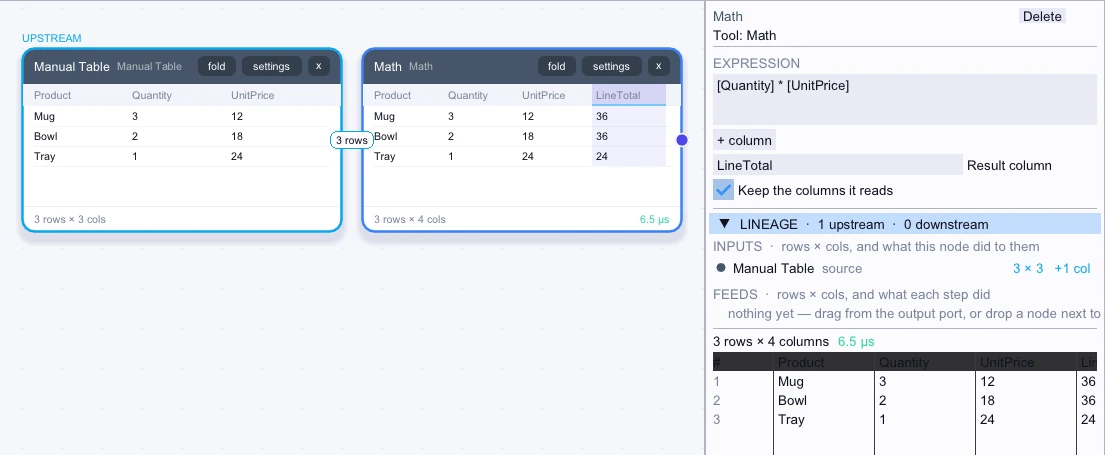
Input
3 rows| Product | Quantity | UnitPrice |
|---|---|---|
| Mug | 3 | 12 |
| Bowl | 2 | 18 |
| Tray | 1 | 24 |
Node output
3 rows| Product | Quantity | UnitPrice | LineTotal |
|---|---|---|---|
| Mug | 3 | 12 | 36 |
| Bowl | 2 | 18 | 36 |
| Tray | 1 | 24 | 24 |
Complex workflow
Calculate per-line margin with [Quantity] * ([UnitPrice] - [UnitCost]) and keep the input columns. Filter for positive LineMargin, then sum it by Product to see which products contributed positive margin.
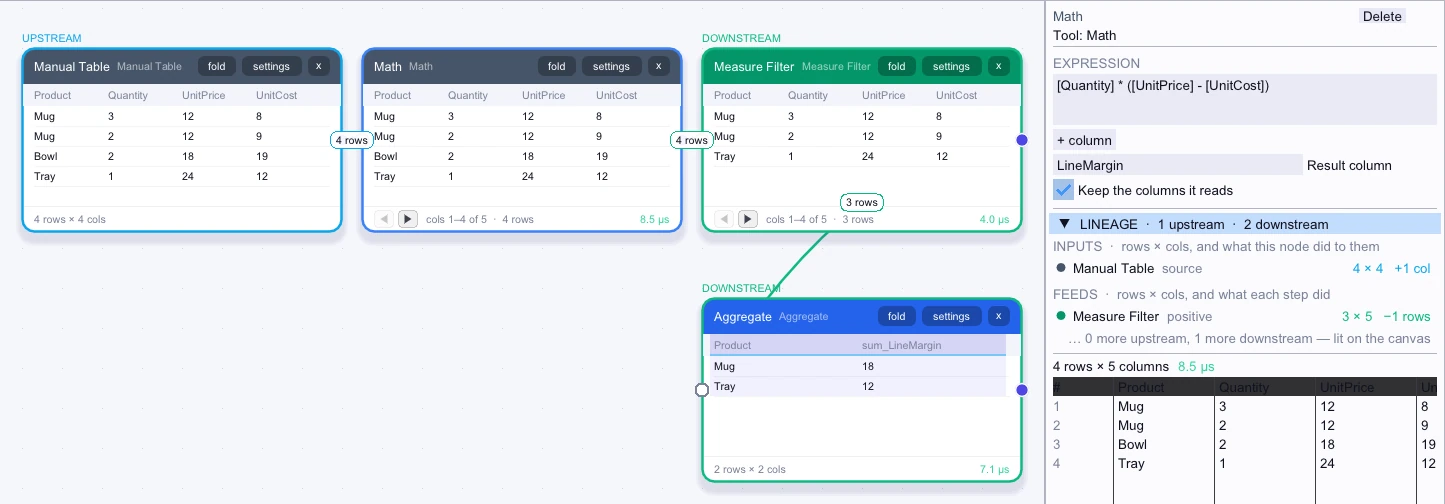
Input
4 rows| Product | Quantity | UnitPrice | UnitCost |
|---|---|---|---|
| Mug | 3 | 12 | 8 |
| Mug | 2 | 12 | 9 |
| Bowl | 2 | 18 | 19 |
| Tray | 1 | 24 | 12 |
Node output
4 rows| Product | Quantity | UnitPrice | UnitCost | LineMargin |
|---|---|---|---|---|
| Mug | 3 | 12 | 8 | 12 |
| Mug | 2 | 12 | 9 | 6 |
| Bowl | 2 | 18 | 19 | -2 |
| Tray | 1 | 24 | 12 | 12 |
Workflow result
2 rows| Product | sum_LineMargin |
|---|---|
| Mug | 18 |
| Tray | 12 |