Canvas nodes
Limit rows
Keep the first or last rows, with optional blank-row skipping.
How it works
Choose the number of rows to keep from the start or end of the current order. Sort first when the result should reflect a date or ranking.
Simple example
Set Rows on a Limit rows node to the number of records you want to inspect. The node passes through that many rows from the start of the input in its existing order.
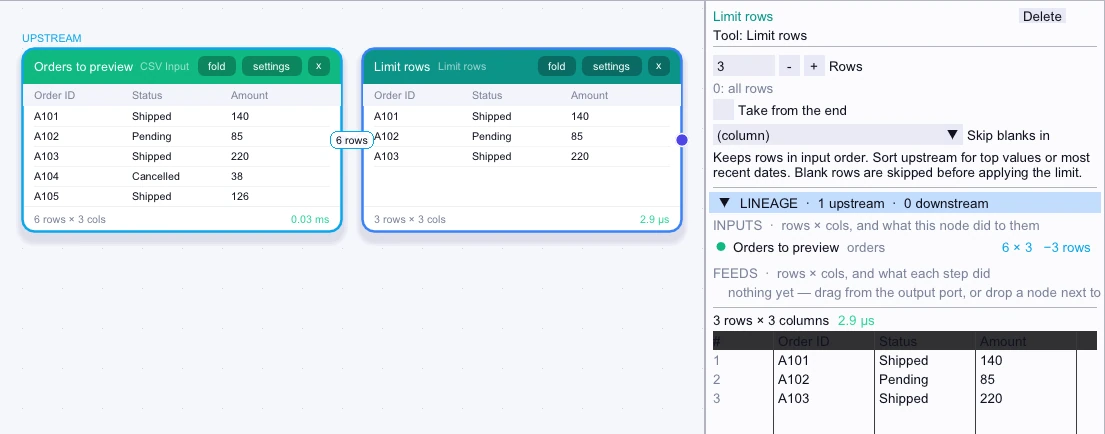
Input
First 5 of 6 rows| Order ID | Status | Amount |
|---|---|---|
| A101 | Shipped | 140 |
| A102 | Pending | 85 |
| A103 | Shipped | 220 |
| A104 | Cancelled | 38 |
| A105 | Shipped | 126 |
Node output
3 rows| Order ID | Status | Amount |
|---|---|---|
| A101 | Shipped | 140 |
| A102 | Pending | 85 |
| A103 | Shipped | 220 |
Complex workflow
Sort orders by Order Date in ascending order, then enable Take from the end in Limit rows and set a row limit. Select Order Date in Skip blanks in to exclude undated records before taking the most recent rows.
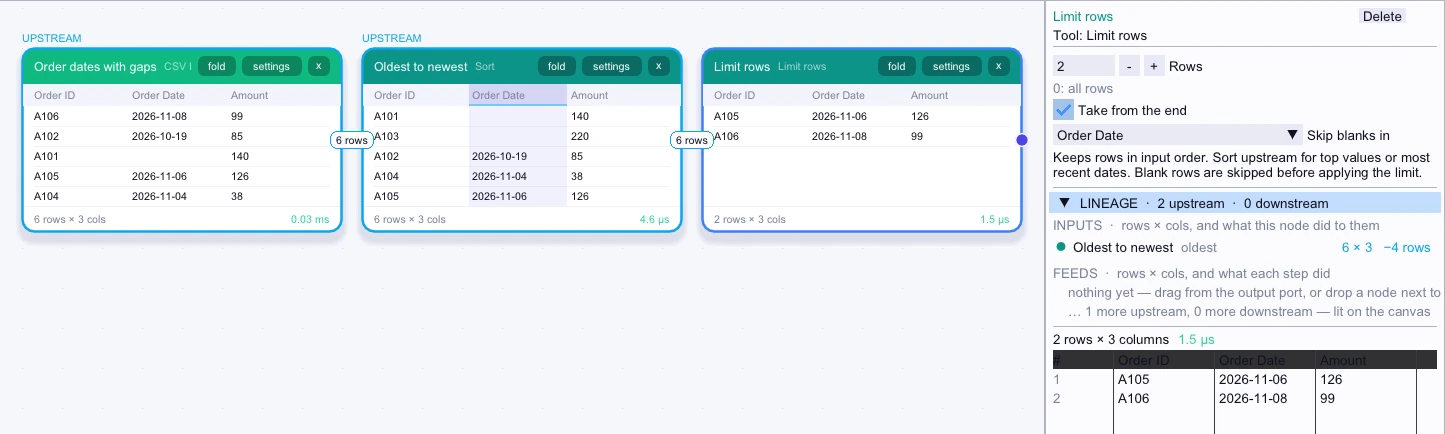
Input
First 5 of 6 rows| Order ID | Order Date | Amount |
|---|---|---|
| A101 | — | 140 |
| A103 | — | 220 |
| A102 | 2026-10-19 | 85 |
| A104 | 2026-11-04 | 38 |
| A105 | 2026-11-06 | 126 |
Node output
2 rows| Order ID | Order Date | Amount |
|---|---|---|
| A105 | 2026-11-06 | 126 |
| A106 | 2026-11-08 | 99 |