Canvas nodes
JSON Output
Export connected data as a JSON file.
How it works
Connect a result table and export it to a JSON file. Use it when the next tool expects records in JSON format.
Simple example
Connect a filtered orders table to JSON Output, enter a filename, and choose Export. The saved JSON contains an array of row objects keyed by the output column names.
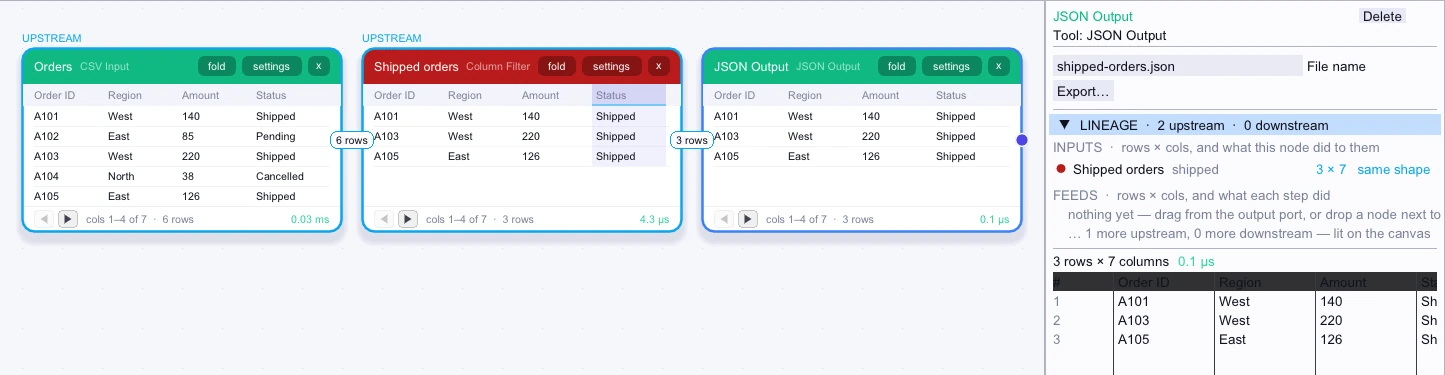
Rows exported
3 rows| Order ID | Region | Amount | Status | Customer ID | Reference |
|---|---|---|---|---|---|
| A101 | West | 140 | Shipped | C1 | Retail |
| A103 | West | 220 | Shipped | C3 | Retail |
| A105 | East | 126 | Shipped | C2 | Outlet |
Complex workflow
Prepare a table for a script that expects order_id and total_amount. Use Column Renamer to match the field names and remove unused fields, then connect JSON Output and export the records for the script to read.
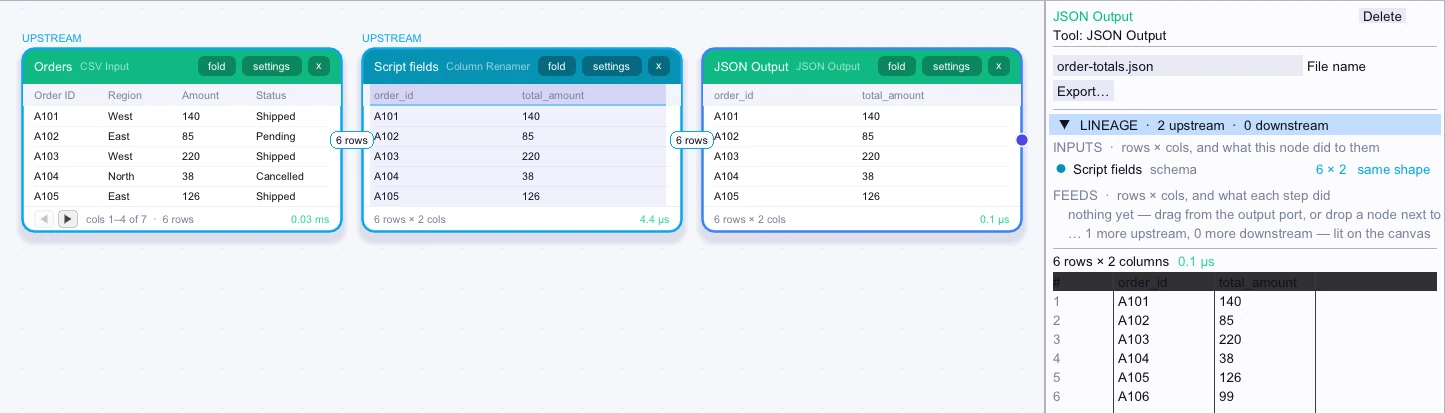
Rows exported
First 5 of 6 rows| order_id | total_amount |
|---|---|
| A101 | 140 |
| A102 | 85 |
| A103 | 220 |
| A104 | 38 |
| A105 | 126 |