Canvas nodes
JSON Input
Load JSON data into a table.
How it works
Load a JSON file containing an array of records, or an object with a data array. The record fields become columns for downstream nodes.
Simple example
Choose a JSON file that contains an array of order objects. JSON Input turns each object into a row and its fields into columns you can inspect on Canvas.
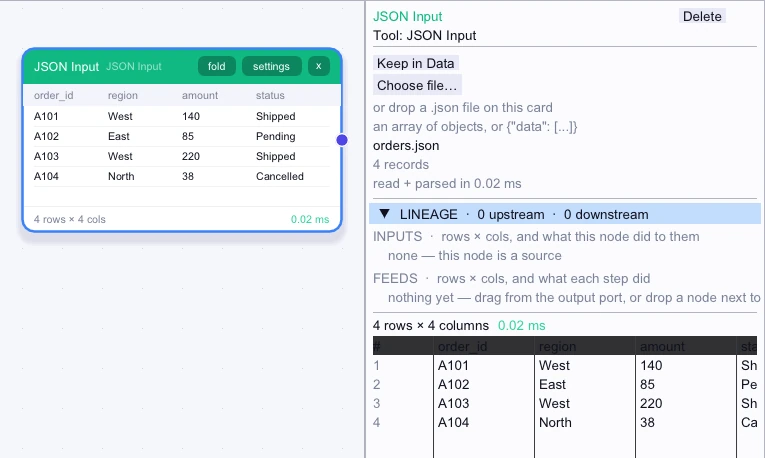
Loaded rows
4 rows| order_id | region | amount | status |
|---|---|---|---|
| A101 | West | 140 | Shipped |
| A102 | East | 85 | Pending |
| A103 | West | 220 | Shipped |
| A104 | North | 38 | Cancelled |
Complex workflow
If an API export wraps its records in a top-level data array, open that JSON file directly. Select the relevant columns downstream, then connect a filter or aggregate to analyze the records as a table.
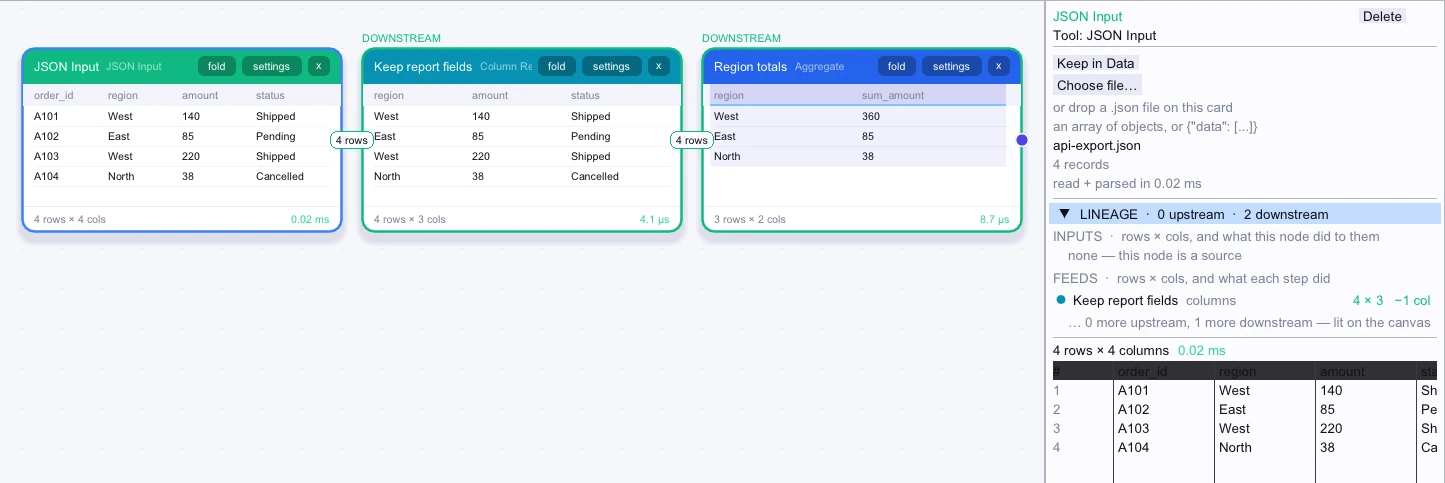
Loaded rows
4 rows| order_id | region | amount | status |
|---|---|---|---|
| A101 | West | 140 | Shipped |
| A102 | East | 85 | Pending |
| A103 | West | 220 | Shipped |
| A104 | North | 38 | Cancelled |
Workflow result
3 rows| region | sum_amount |
|---|---|
| West | 360 |
| East | 85 |
| North | 38 |