Canvas nodes
Find / Replace
Replace matching text or patterns in a column.
How it works
Choose a column and the text or pattern to find. Enter the replacement value and choose whether matches must cover the whole cell.
Simple example
Choose Status, enter Pending Review in Find, and enter In Review in Replace. Turn on Whole cell to update that label without changing longer status text containing the same words.
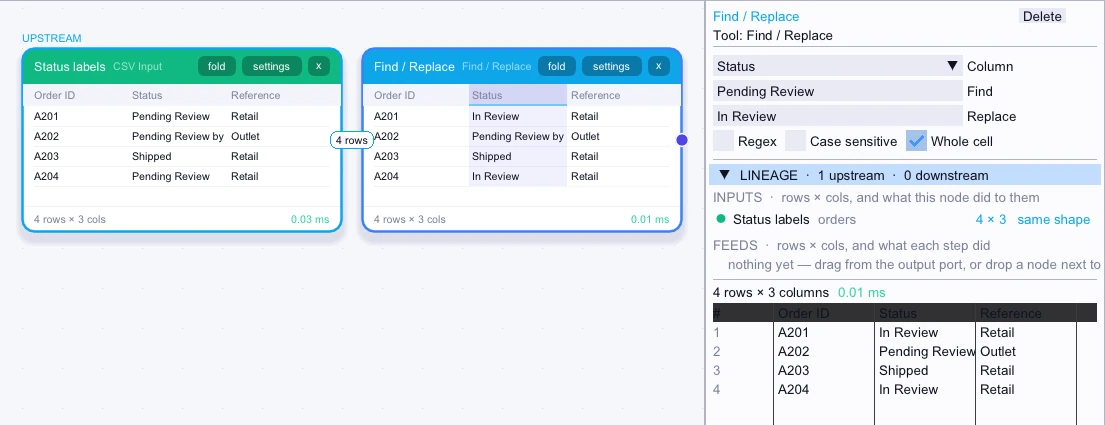
Input
4 rows| Order ID | Status | Reference |
|---|---|---|
| A201 | Pending Review | Retail |
| A202 | Pending Review by Manager | Outlet |
| A203 | Shipped | Retail |
| A204 | Pending Review | Retail |
Node output
4 rows| Order ID | Status | Reference |
|---|---|---|
| A201 | In Review | Retail |
| A202 | Pending Review by Manager | Outlet |
| A203 | Shipped | Retail |
| A204 | In Review | Retail |
Complex workflow
An imported Order ID column contains several legacy prefixes that should be stripped before a join. Enable Regex, enter ^(LEGACY|OLD)- in Find, and leave Replace empty. Only the matching prefix is removed from each ID.
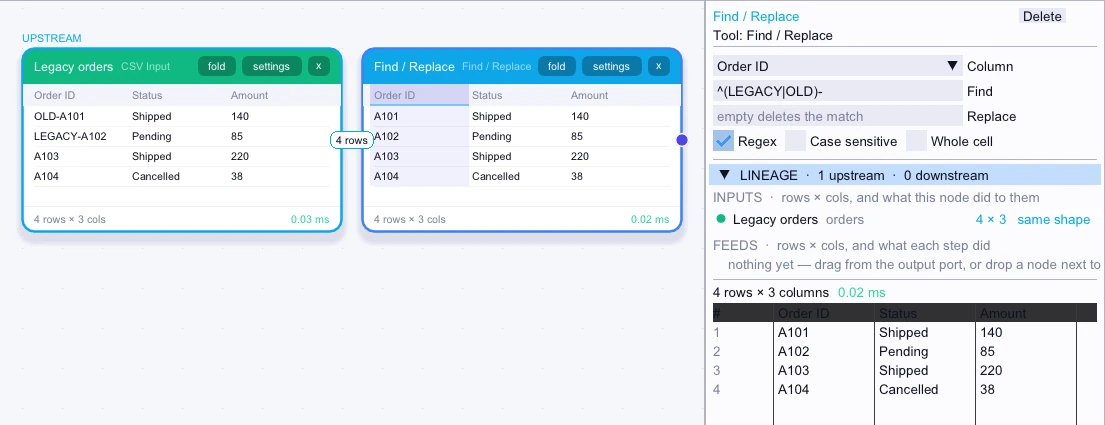
Input
4 rows| Order ID | Status | Amount |
|---|---|---|
| OLD-A101 | Shipped | 140 |
| LEGACY-A102 | Pending | 85 |
| A103 | Shipped | 220 |
| A104 | Cancelled | 38 |
Node output
4 rows| Order ID | Status | Amount |
|---|---|---|
| A101 | Shipped | 140 |
| A102 | Pending | 85 |
| A103 | Shipped | 220 |
| A104 | Cancelled | 38 |