Canvas nodes
CSV Output
Export connected data as a CSV file.
How it works
Connect the table to CSV Output and choose Export to save the result as a CSV. The file contains the rows that reach the node.
Simple example
Wire a cleaned orders table into CSV Output, enter a filename, and choose Export. Leave Header row enabled so the saved CSV starts with the column names.
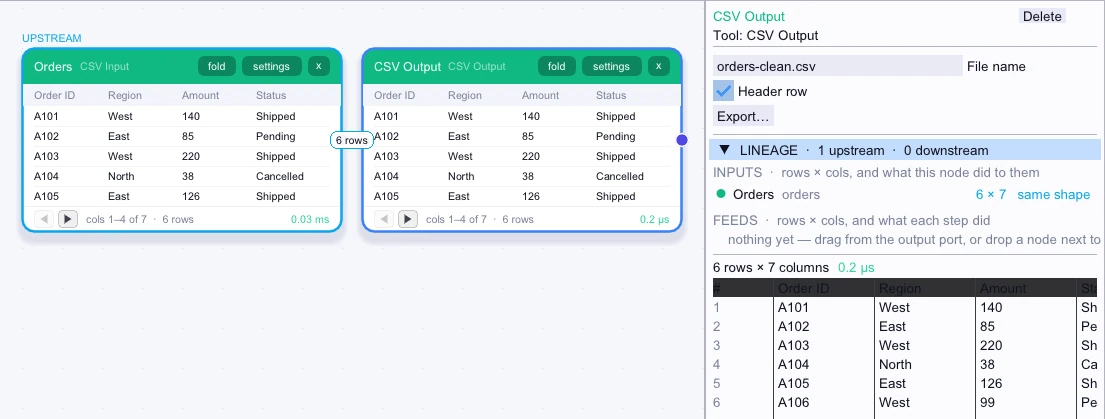
Rows exported
First 5 of 6 rows| Order ID | Region | Amount | Status | Customer ID | Reference |
|---|---|---|---|---|---|
| A101 | West | 140 | Shipped | C1 | Retail |
| A102 | East | 85 | Pending | C2 | Outlet |
| A103 | West | 220 | Shipped | C3 | Retail |
| A104 | North | 38 | Cancelled | C9 | Retail |
| A105 | East | 126 | Shipped | C2 | Outlet |
Complex workflow
If a receiving system expects positional fields without headers, use Column Renamer to put the required fields in order and remove extra columns. Wire that output to CSV Output, turn off Header row, and export the file.
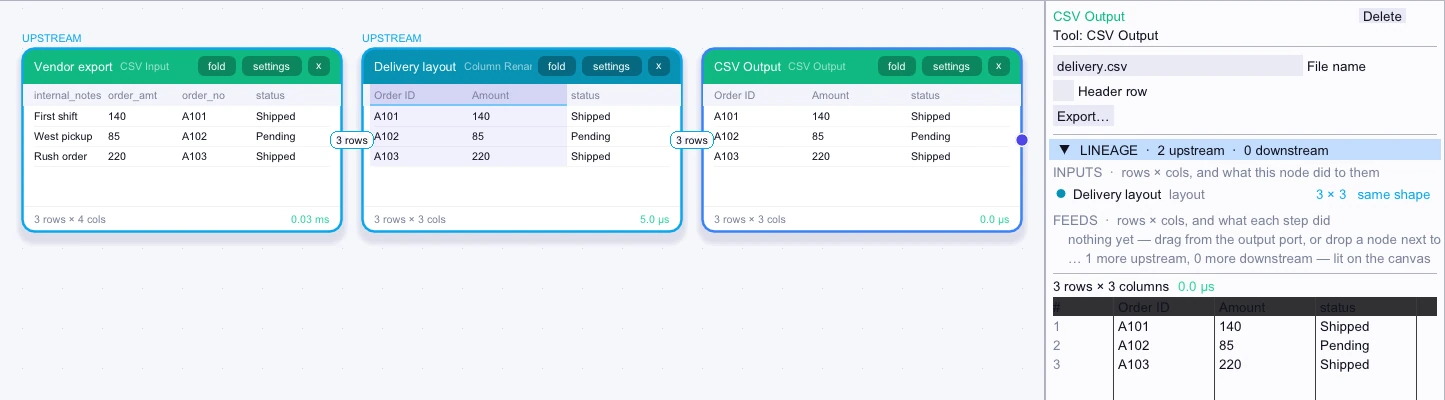
Rows exported
3 rows| Order ID | Amount | status |
|---|---|---|
| A101 | 140 | Shipped |
| A102 | 85 | Pending |
| A103 | 220 | Shipped |