Canvas nodes
Constant
Fill a column with the same value in every row.
How it works
Name a column and give it a fixed value. The same value is written into that column for every input row.
Simple example
Add a Constant node after loading the online sales file. Enter Channel as the column and Online as the value. Every output row carries the same Channel label.
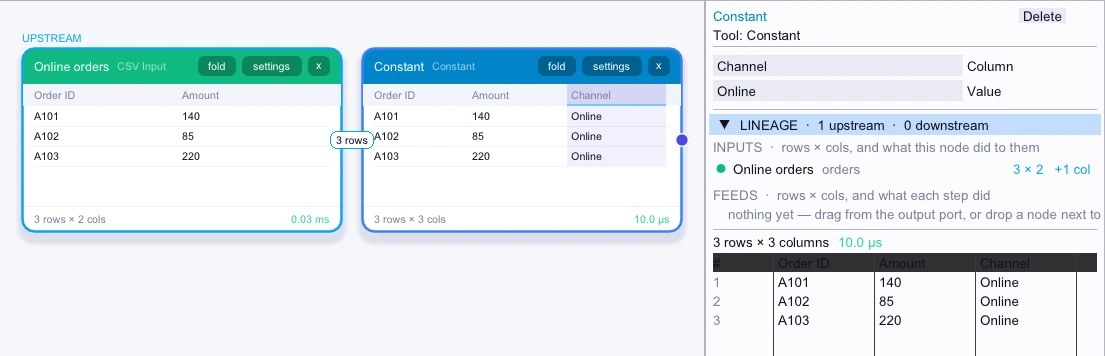
Input
3 rows| Order ID | Amount |
|---|---|
| A101 | 140 |
| A102 | 85 |
| A103 | 220 |
Node output
3 rows| Order ID | Amount | Channel |
|---|---|---|
| A101 | 140 | Online |
| A102 | 85 | Online |
| A103 | 220 | Online |
Complex workflow
Combine online and store exports without losing where the rows came from. Add a Constant node to each input and write Online or Store into a shared Channel column. Union the two outputs, then group by Channel to compare totals.
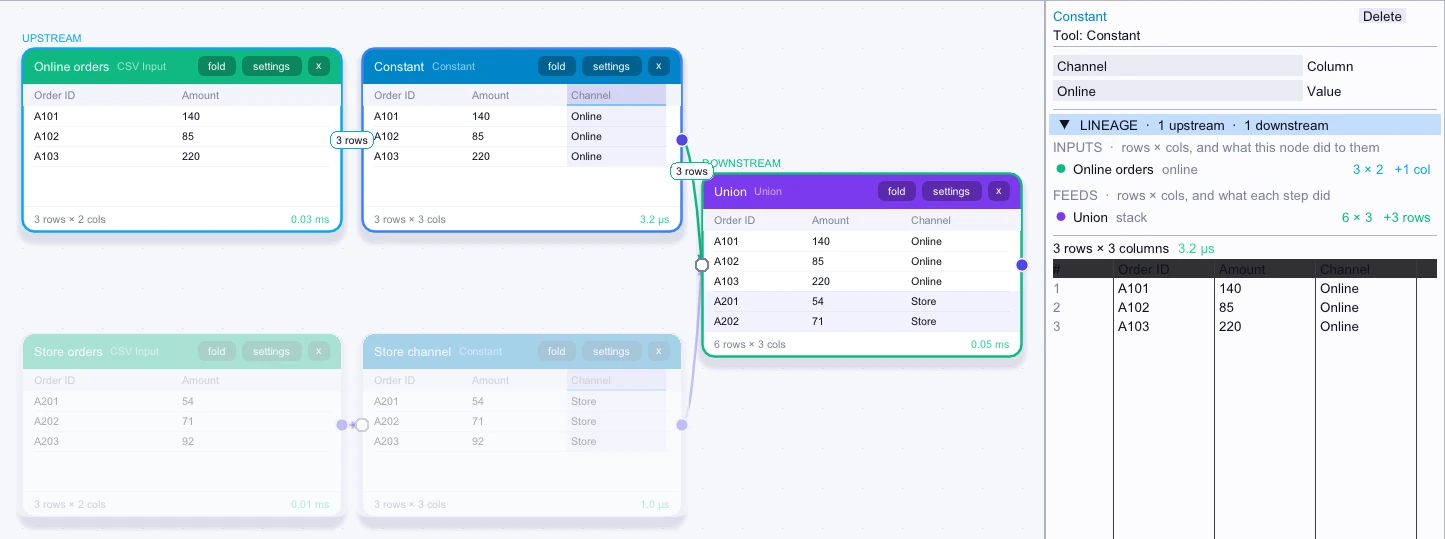
Input
3 rows| Order ID | Amount |
|---|---|
| A101 | 140 |
| A102 | 85 |
| A103 | 220 |
Node output
3 rows| Order ID | Amount | Channel |
|---|---|---|
| A101 | 140 | Online |
| A102 | 85 | Online |
| A103 | 220 | Online |
Workflow result
First 5 of 6 rows| Order ID | Amount | Channel |
|---|---|---|
| A101 | 140 | Online |
| A102 | 85 | Online |
| A103 | 220 | Online |
| A201 | 54 | Store |
| A202 | 71 | Store |