Which date should assign service hours to a quarter?
Why ask this?
For a workload review, opening dates count work arriving and closing dates count work finished. A case opened in March and closed in April belongs to different quarters under those definitions.
Start with the sample data
Open source.csv. In the first row of source.csv, Opened date = 2025-01-02, Closed date = 2025-03-15, Hours = 4.
What to say
Create a variance report for hours by date per quarter from the first quarter of 2025 to the second quarter of 2025 with total.
Processing time
- Recorded audio to table ready
- 6.57 s
- Transcript to table ready
- 1.02 ms
One local replay from recorded audio through transcription and native table data preparation. Includes processing of the clarification and reply. Time waiting for a person to answer is excluded. Recording time and screen painting are excluded.
See the transcript in the composer

When n0is asks
Which date field should define the periods?
- 1. Opened date
- 2. Closed date
Closed date.
How the canvas produces the result
- CSV Input · Read the sample records
source.csv supplies 3 rows. These records are the inputs to the next step.
- Period comparison · Compare 2025 Q1 with 2025 Q2
The Closed date field assigns each record to its period. The sum of Hours is 4 in the baseline and 8 in the comparison period. The difference is 4. That is a 100% change from the baseline.
Canvas review in progress for Period comparison. The recording verifies the result. Rebuilding these steps from the left panel still needs verification.
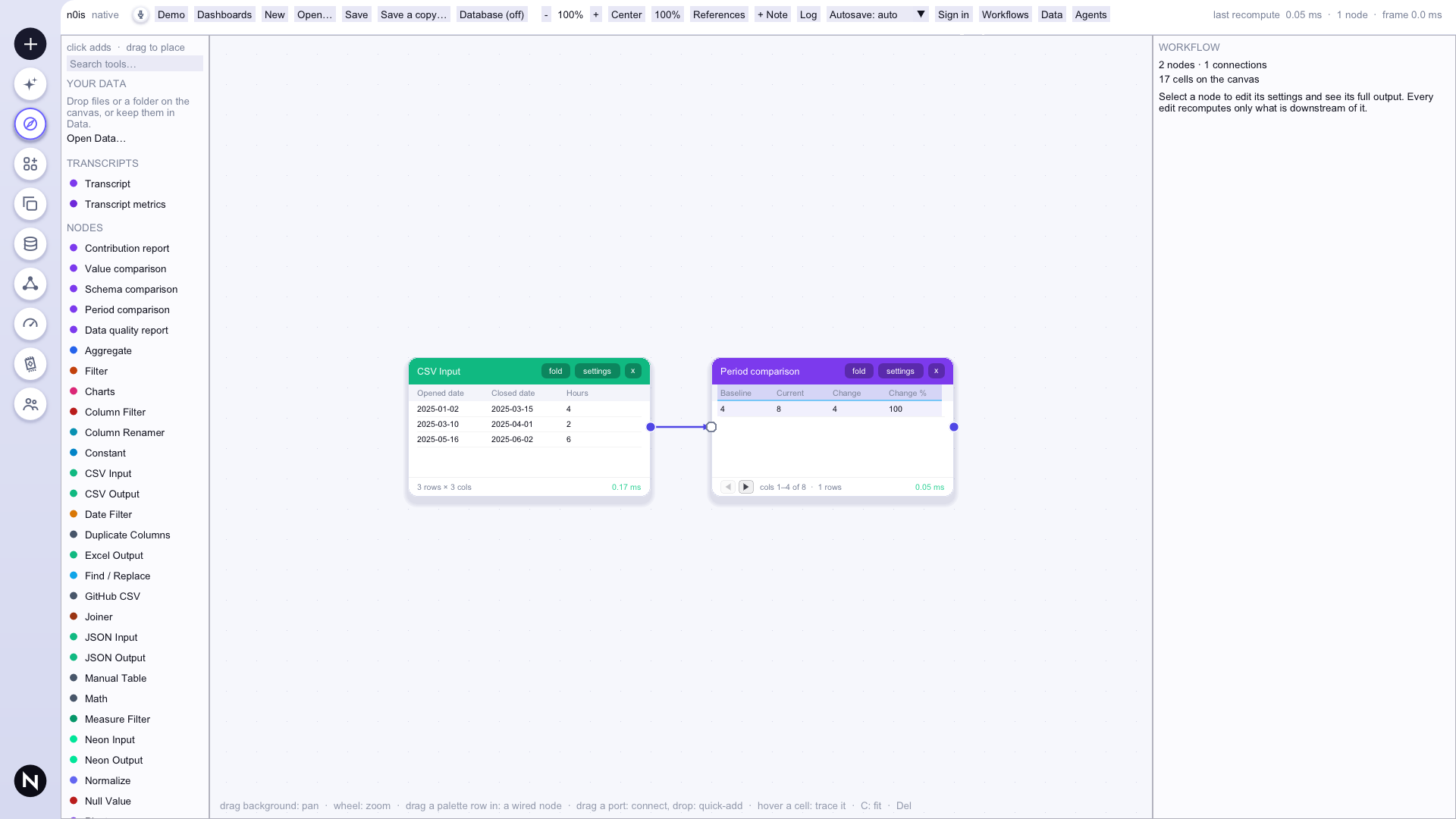
The result table
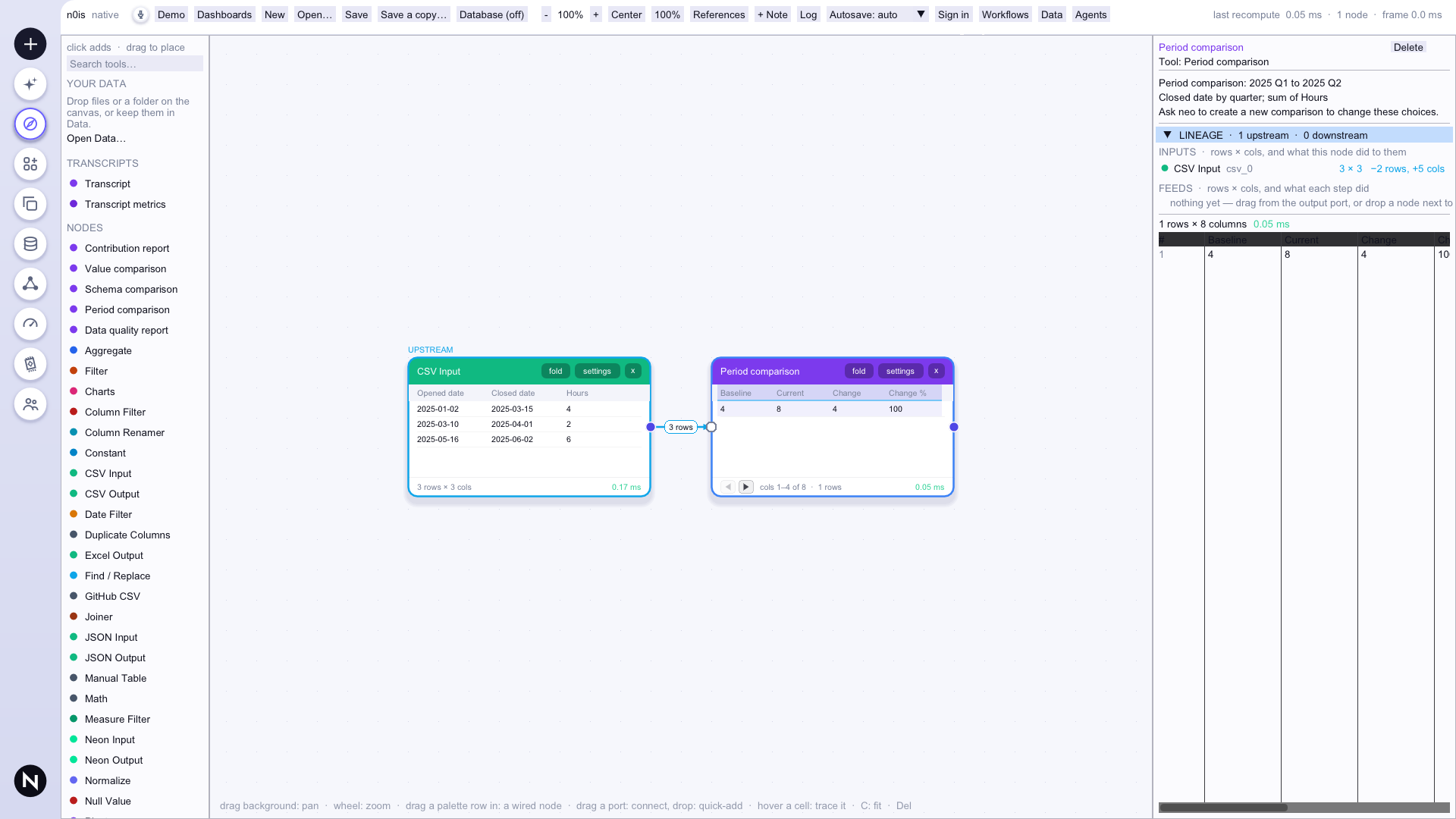
| Baseline | Current | Change | Change % | Metric | Baseline period | Current period | Statistic |
|---|---|---|---|---|---|---|---|
| 4 | 8 | 4 | 100 | Hours | 2025 Q1 | 2025 Q2 | sum |
How to use the result
One record to review is Baseline = 4, Current = 8, Change = 4, Change % = 100, Metric = Hours. Follow the canvas steps above to trace that row back to its inputs.
Synthetic test audio. Screenshots from the recorded workflow in n0is.