Team overrun
Why ask this?
A staffing lead reviewing time entries wants to find the teams that need an explanation for hours above plan.
Start with the sample data
Open source.csv. In the first row of source.csv, Team = E, Used hours = 6, Planned hours = 1.
What to say
Please list only the teams that used more hours than planned. Subtract planned hours from used hours and show the overrun.
Processing time
- Recorded audio to table ready
- 4.65 s
- Transcript to table ready
- 0.38 ms
One local replay from recorded audio through transcription and native table data preparation. Recording time and screen painting are excluded.
See the transcript in the composer

How the canvas produces the result
- CSV Input · Read the sample records
source.csv supplies 2 rows. These records are the inputs to the next step.
- Math · Calculate Overrun
Apply [Used hours] - ([Planned hours]) to each input row. The first row yields 5.
- Measure Filter · Keep the requested rows
The filter uses Overrun > 0 in keep mode. 1 rows remain including E.
- Wild Headers · Choose the output columns
Use keep mode with the regular expression ^(Team|Overrun)$. The output contains Team, Overrun.
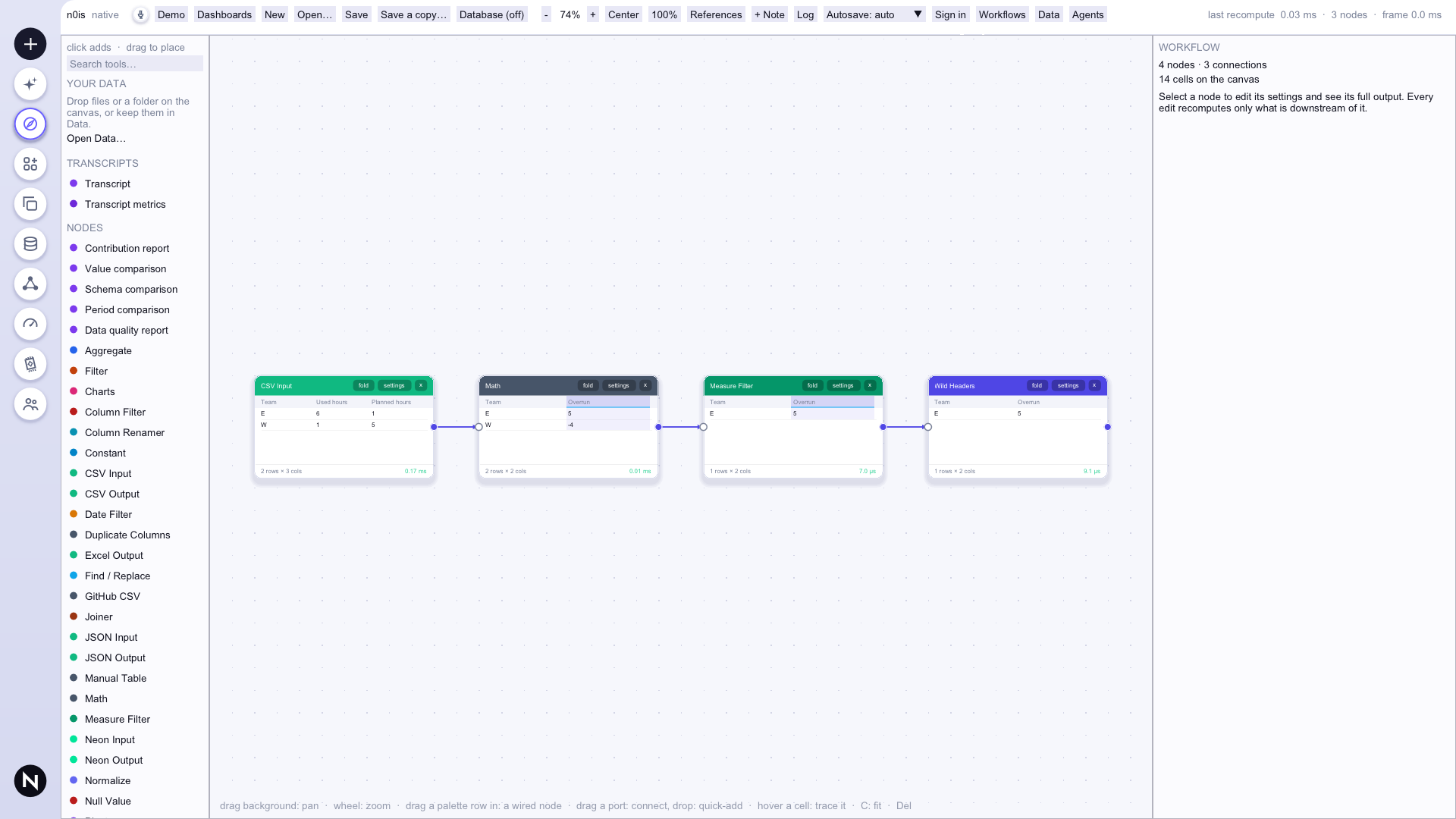
The result table
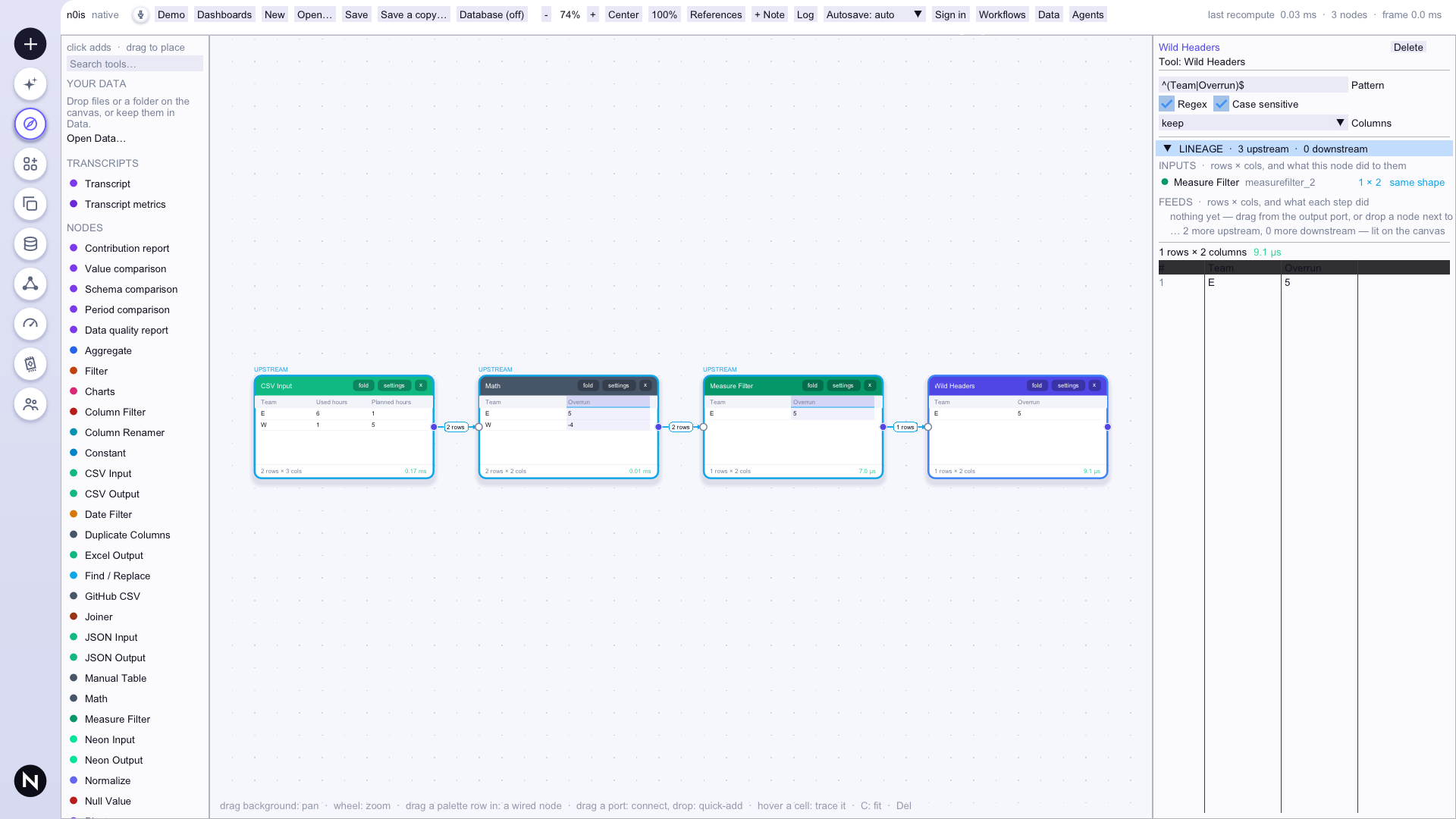
| Team | Overrun |
|---|---|
| E | 5 |
How to use the result
For Team E, the sample reports Overrun of 5.
Synthetic test audio. Screenshots from the recorded workflow in n0is.