Invoice aging · choose paid
Why ask this?
Before making collection calls, a billing lead needs to separate invoices that still need follow-up from invoices that were eventually settled.
Start with the sample data
Open source.csv. In the first row of source.csv, Invoice = X, Due day = 29, Paid = no.
What to say
List invoices more than ten days after their due date. Use day forty as today.
Processing time
- Recorded audio to table ready
- 4.16 s
- Transcript to table ready
- 0.48 ms
One local replay from recorded audio through transcription and native table data preparation. Includes processing of the clarification and reply. Time waiting for a person to answer is excluded. Recording time and screen painting are excluded.
See the transcript in the composer
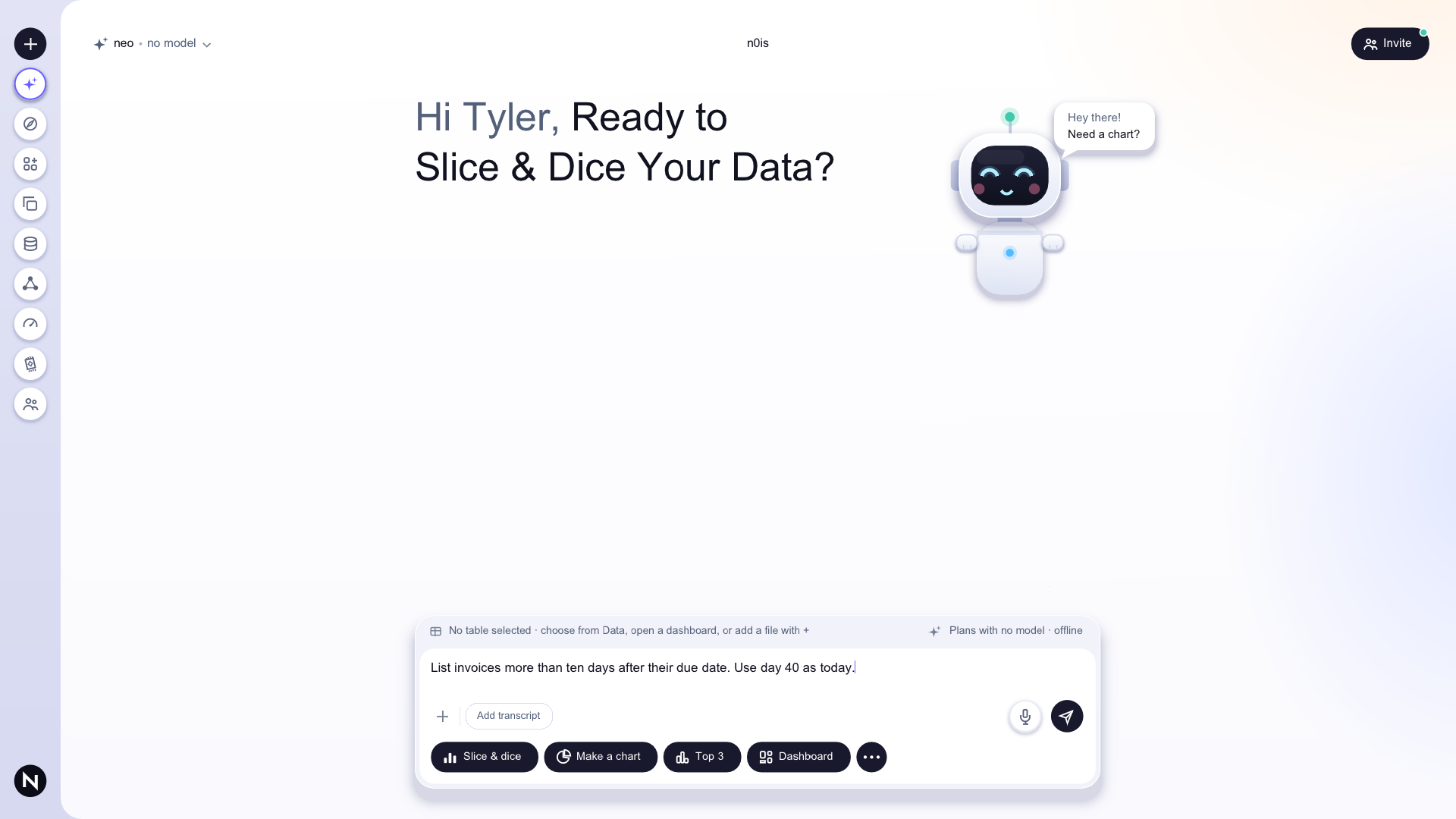
What n0is transcribed
List invoices more than ten days after their due date. Use day 40 as today.
When n0is asks
Did you mean paid or unpaid invoices?
- Paid invoices
- Unpaid invoices
Paid invoices.
How the canvas produces the result
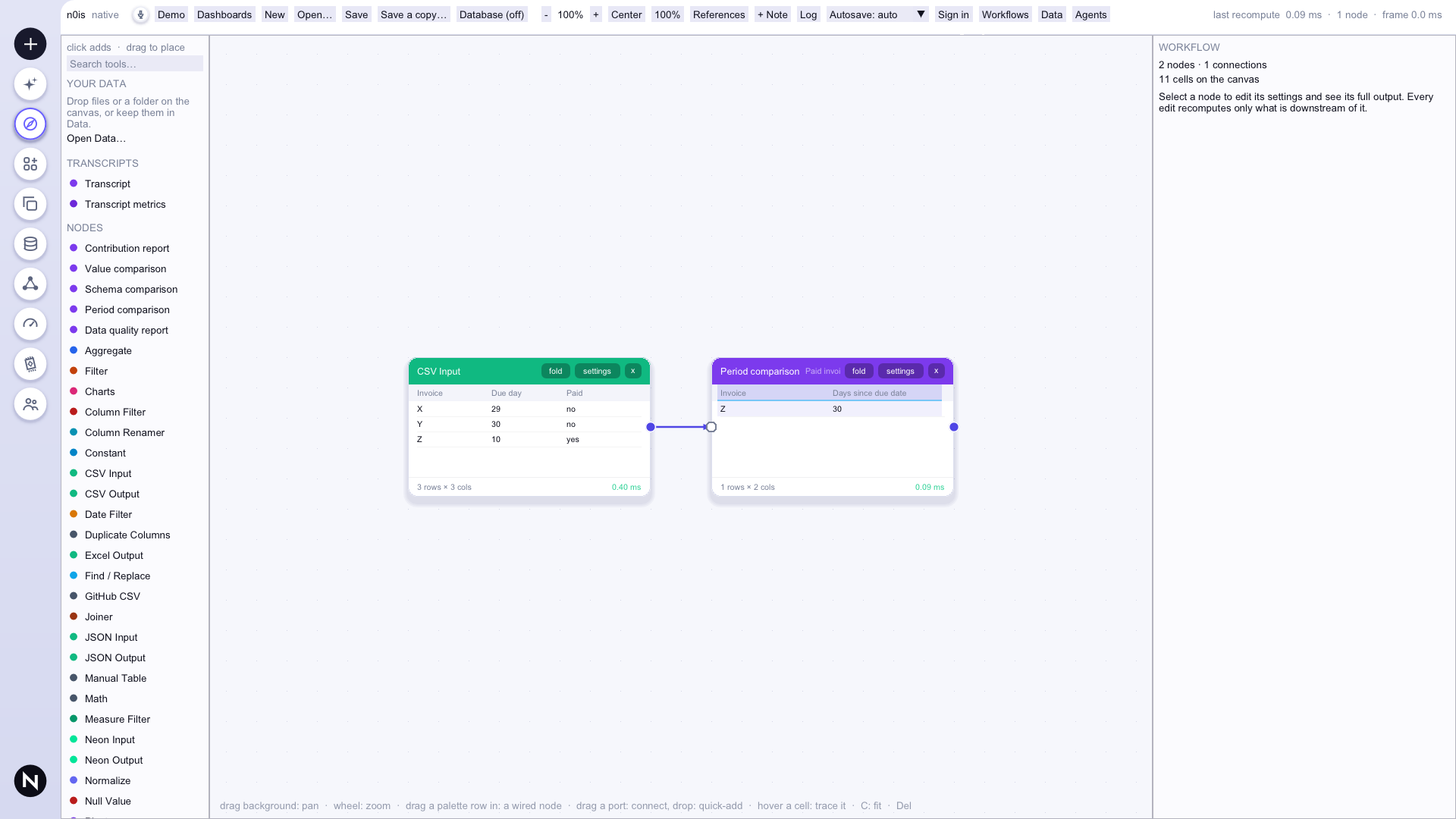
- CSV Input · Read the sample records
source.csv supplies 3 rows. These records are the inputs to the next step.
- Period comparison · Paid invoices by due date
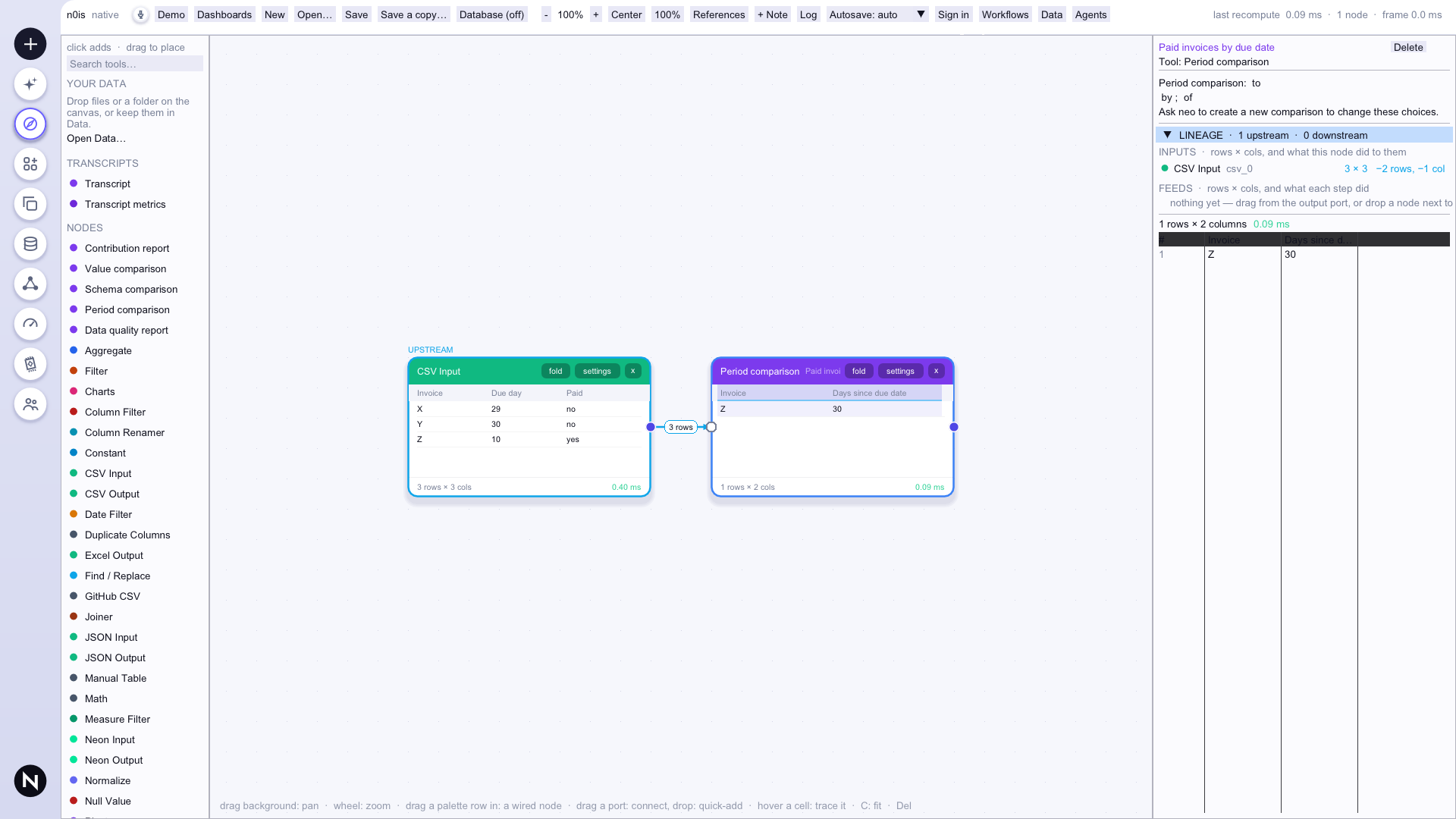
The first output row contains Invoice = Z, Days since due date = 30.
Canvas review in progress for Period comparison. The recording verifies the result. Rebuilding these steps from the left panel still needs verification.
The result table
| Invoice | Days since due date |
|---|---|
| Z | 30 |
How to use the result
For Invoice Z, the sample reports Days since due date of 30.
Synthetic test audio. Screenshots from the recorded workflow in n0is.